Ludo
Yarsa GamesBoard
4.61.19K Reviews
- Version
- 1.4.3
- Installs
- 100.00M
- Age Rating
- Everyone
Screenshots

Our Review of Ludo
 Analysis by Appyee
I spent time with Ludo as a simple board game for short sessions, family gatherings, and casual matches between friends. Its appeal is easy to understand: the rules are familiar, the board is visually direct, and a single match can turn a quiet moment into a surprisingly lively contest. Developed by Yarsa Games, it is free to download and aimed at Everyone, which makes it an approachable choice for households looking for a shared game rather than a complicated strategy title.
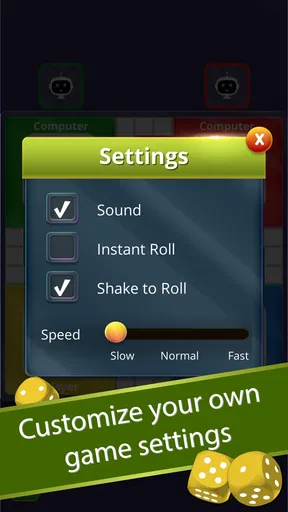
What stood out to me most was not that it reinvents the classic format, because it does not need to. Instead, it puts the traditional race around the board into a phone-friendly form that is quick to understand. The important question is whether that simplicity works for different players and situations. In my experience, it works best when everyone can comfortably see the board, understand whose turn it is, and interact with the controls without pressure. It is less suitable when a player needs extensive customization, very large interface elements, or a game that remains engaging without visual attention.
How clearly the board communicates what is happening
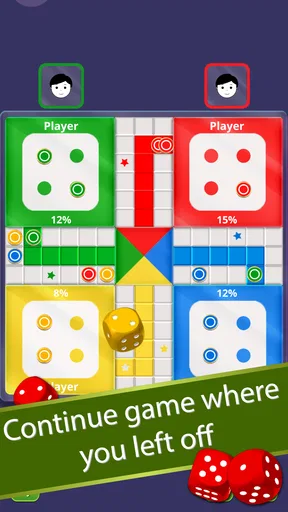
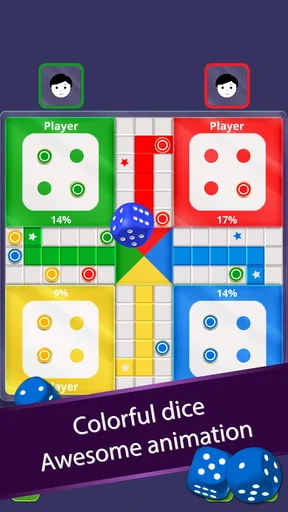
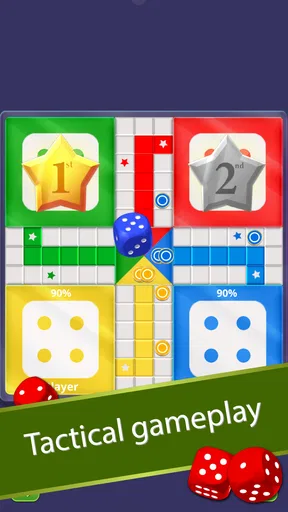
The board layout is the strongest part of the experience from a readability perspective. Ludo relies on familiar colors, recognizable pieces, and a central path, so I rarely felt lost about the general objective. That matters when playing with someone who has never used the app before. I could explain the basic idea in ordinary language and let the board provide much of the visual reminder during the match.
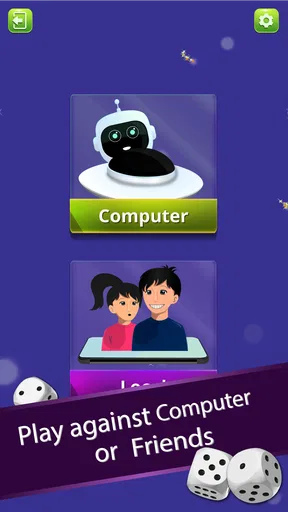
Navigation also benefits from the game’s narrow focus. This is not an app filled with unrelated tools, articles, or complicated menus. You open it to play, choose the relevant game option, and concentrate on the board. For older relatives or younger players who become frustrated by layered interfaces, that directness is a genuine advantage. I would still take a moment to demonstrate the controls before starting a serious family match, especially if someone is not used to tapping pieces on a touchscreen.
The visual design is readable when the phone is held at a normal distance, but a small screen can make the individual pieces and spaces feel crowded. This is especially noticeable when several tokens occupy nearby positions. A player with reduced vision may understand the overall board while still struggling to distinguish the exact piece that should be selected. The game’s familiar color structure helps, yet color alone is not always enough for every player.
One practical approach is to use a larger phone or tablet when playing with a group. I found that placing the device on a stable surface and keeping it centered between players makes the board easier to follow than passing it around constantly. That simple change also reduces accidental taps and gives everyone a clearer view of the current turn.
The large audience suggests that the basic presentation works for many people. The game has an average rating of 4.6 from around 514 thousand ratings, and it has passed 100 million installs. Those figures do not prove that it suits every ability, but they do reflect how easily the core format can be picked up by a broad audience.
Learning the flow without feeling overwhelmed
For a first-time player, the main learning challenge is not the objective; it is understanding the timing of a turn and which piece is currently eligible to move. I recommend playing one relaxed round rather than trying to explain every possibility beforehand. The board becomes much clearer once the player sees the result of a roll and watches a token move.
This is also where the game works well for mixed-age groups. A child can learn through observation, while an adult can offer occasional guidance without taking over the entire match. I would avoid making the first game overly competitive. A player who is slower to read the board may need a few extra seconds, and a rushed atmosphere can make a straightforward interface feel confusing.
There is a useful trade-off here: the uncluttered presentation makes the game approachable, but it also means the experience depends heavily on the player noticing visual details. Someone who prefers strong written instructions, spoken cues, or highly adjustable displays may find the simplicity limiting rather than helpful.
Motor, sensory, and attention demands during play
The physical interaction is generally light. Playing usually involves tapping the screen rather than performing repeated gestures, so it can suit people who find complex controls tiring. I appreciated that the game does not ask me to manage a large collection of buttons while also watching the board. The basic action is easy to describe: identify the piece, tap it, and let the turn proceed.
That does not mean every motor situation is equally comfortable. Accurate tapping can become difficult for someone with tremors, limited fine-motor control, or fatigue in the hands. Pieces may sit close together, and a misplaced touch can be frustrating when the match is competitive. I found that resting the phone on a table and using one deliberate finger press was more reliable than holding it in one hand and playing with the other.
A useful household routine is to agree that players can ask for a moment before making a move. This is not a game setting, but it makes a meaningful difference. It gives a player with slower hand movement or slower visual processing time to confirm the intended piece instead of feeling forced to react immediately. In a family setting, that small courtesy improves access more than rushing through turns ever could.
Sensory comfort is more complicated. The central board uses color as a major way to separate players and positions. That is easy to recognize for many people, but a person with color-vision differences may not experience the same clarity. I would not assume that similarly colored pieces are always easy to distinguish, particularly on a small or bright screen. Before starting a long match, it is sensible to ask the player whether the colors are clear enough and to choose a different device if the board feels visually cramped.
Players who are sensitive to visual movement or busy activity may also prefer a quieter environment around the phone. Even a simple board game demands attention when pieces are moving and turns are changing. Playing in a calm room, lowering surrounding distractions, and keeping the device at a comfortable brightness can make the session easier to follow. These are situational adjustments rather than special features, but they are realistic ways to make the game more welcoming.
Attention, memory, and decision-making
The mental demand is modest compared with a deep strategy board game, but it is not completely passive. I still need to track where my pieces are, notice possible captures, and decide which move is most useful. That makes it entertaining for players who want a little decision-making without studying a rulebook.
For someone with attention difficulties, the turn-based structure can be helpful because the player only needs to act at specific moments. On the other hand, waiting through several other turns can make attention drift. In a group match, I found it useful to keep everyone near the device and talk about the board naturally rather than letting players disengage between turns.
The game can also work as a gentle way to introduce turn-taking. A younger player learns that the board does not move only when they are ready, while an older player can practice planning without the pressure of a fast action game. The limitation is that the app does not replace a fully adaptive educational tool. If the goal is structured cognitive training or carefully graded support, a dedicated app would be a better choice.
Using it in real situations and shared spaces
The most natural use case is a short social session. I can imagine opening it after dinner when two or more people want something interactive but do not want to set up a physical board. It also fits a waiting room, a family visit, or a relaxed break where everyone has access to the same phone. Because the rules are widely known, conversation can continue while the match develops.
For a family with different levels of gaming experience, I would use the first match as a cooperative teaching session. Let the new player decide their own move, explain why a piece can move, and avoid correcting every small mistake. This keeps the game from becoming an exercise in proving who already knows Ludo. Once the player is comfortable, the competitive side becomes more enjoyable.
Shared-device play has an accessibility benefit and a drawback. It can be more inclusive than requiring every participant to own a compatible device or create an account, because the group can gather around one screen. At the same time, passing the phone from person to person can be awkward for people with limited reach, hand pain, or difficulty maintaining a grip. A stand or table placement is much better for a mixed-ability group.
The game is free, which lowers the barrier to trying it with relatives who do not want to spend money on a board game they may use only occasionally. There are in-app purchases ranging from $1.79 to $5.99 per item, so I would keep that in mind if a child will be using the device. The free entry point is convenient, but families should still handle purchasing decisions deliberately rather than assuming every part of the experience is entirely without cost.
It is also a practical choice for someone using an older Android phone. The minimum operating system is Android 7.1, and the current version is 1.4.3. That makes it relevant to people who do not replace their phone frequently, although the actual comfort of play still depends on screen size, responsiveness, and the condition of the device.
Where it compares well with other board-game choices
Compared with a physical Ludo board, the app is faster to start and easier to carry. There are no loose pieces to arrange, no dice to lose, and no need to clear a table before playing. That is particularly useful for spontaneous sessions or homes where storing another board game is inconvenient.
A physical board can still be better for players who benefit from touching and moving large pieces. It may also be easier for a group to see when the board is spread across a table, especially if the phone screen feels too small. For some families, the physical version creates a stronger shared activity because everyone can point to the same spaces without worrying about tapping the wrong area.
Compared with more elaborate digital board games, this title is easier to learn and less demanding to navigate. The trade-off is depth. If I want long-term strategic variety, detailed tutorials, rich customization, or a broader collection of game modes, I would look elsewhere. This is most enjoyable when I want the recognizable Ludo format rather than a large digital board-game platform.
It also differs from fast multiplayer games because the pace is calmer and the rules are easier to explain. That makes it a better fit for grandparents, children, and casual players who dislike reflex-based competition. However, anyone seeking constant action may find the pauses between turns too slow.
Remaining barriers I would consider before recommending it
The biggest barrier is visual dependence. The game communicates through the board, colored pieces, and changing positions, so a player who cannot comfortably see the screen may need assistance. I would not recommend assuming that another person can simply narrate every turn without changing the social balance of the match. If independent play is essential, an app with clearly documented spoken feedback or stronger accessibility controls would be a safer choice.
Color distinction is another consideration. Players with color-vision differences may need to test whether the board’s player colors are sufficiently clear. Good lighting and a larger display can help, but they cannot solve every contrast problem. I would make this check before organizing a long family tournament, not after someone has already become frustrated.
Touch precision can also exclude people who have difficulty tapping small targets. A stylus may help some users, while others may prefer a physical board with larger pieces. The right answer depends on the individual, but the app should be treated as a convenient option rather than automatically accessible for every motor ability.
There is a social barrier as well: the game can become uncomfortable when experienced players rush newcomers or criticize unlucky moves. Since chance is part of the format, the app is best when the group agrees that the purpose is shared play. If the people around you want a serious, highly competitive match, a player who needs extra time may feel pressured even if the controls themselves are manageable.
I would also skip it if I wanted a solo pastime with a strong story, a large progression system, or a demanding strategic challenge. Its strength is the familiar board-game loop, not a deep campaign. Likewise, people who dislike games based partly on dice-driven uncertainty may prefer a strategy title where planning has more control over the outcome.
An inclusive verdict for casual board-game sessions
After using it, I see Ludo as a friendly and practical digital version of a familiar board game. Its clear board, limited control scheme, and easy-to-explain objective make it suitable for many family and friend groups. The Everyone age rating supports that broad appeal, and the free download makes it easy to test before committing to a shared routine.
My recommendation comes with a simple condition: check the screen and the interaction against the needs of the actual players. A larger device, stable placement, good lighting, and unhurried turns can make the experience much more comfortable. Those adjustments are especially valuable for older adults, children learning the rules, and anyone who needs extra time to aim a touch or interpret the board.
Yarsa Games has kept the experience accessible in the everyday sense of being familiar and uncomplicated, but I would not confuse that with comprehensive accessibility. Players who need spoken guidance, extensive visual customization, or highly forgiving touch controls may be better served by another board-game app or by a physical set with larger pieces.
For a relaxed evening with relatives, a quick match while traveling, or a low-pressure introduction to digital games, I would recommend giving it a try. The best way to make it inclusive is to adapt the setting and the pace to the players, rather than expecting every player to adapt to the phone. That is where this straightforward game succeeds: it gives a group an easy reason to sit together, provided the people sharing the board are willing to make room for different ways of seeing, tapping, thinking, and playing.
Verdict
Strengths of Ludo
- Simple rules make it easy for new players to start quickly.
- Supports casual matches that are suitable for short gaming sessions.
- Colorful board design is clear and easy to follow.
- Dice-based gameplay adds suspense to every turn.
- Works well as a social game for friends and family.
Limitations of Ludo
- Luck has a major influence, so strategy cannot guarantee victory.
- Long matches may feel repetitive after several rounds.
- Ads can interrupt the experience in the free version.
- Online play may suffer from connection or matchmaking issues.
- Some features or boards may require in-app purchases.
Similar Picks in This Category
View All
Ludo King®
Gametion4.1

Tile Master® - Matching Game
Higgs Studio3.6

Checkers Online
CC Games4.6

Dominoes
Loop Games4.7

Chess
Chess Prince4.6

Ludo Superstar - Fun Game
BlackLight Studio Games4.6
Frequently Asked Questions
What is Ludo, and how is the game played?
Ludo is a classic board game based on the traditional Pachisi format. Players move their four tokens around the board by rolling dice, aiming to bring every token safely to the home area before their opponents. The app usually includes simple tap controls, colorful boards, and rules that are easy for beginners to understand after only a few turns.
Can I play Ludo offline without an internet connection?
Most Ludo versions offer an offline mode where you can play against computer-controlled opponents or share one device with friends and family. However, features such as online multiplayer, leaderboards, tournaments, advertisements, cloud synchronization, and some rewards may require an active internet connection. It is worth checking the specific version’s description before downloading.
Does Ludo support online multiplayer with friends?
Yes, Ludo commonly includes online multiplayer, allowing you to invite friends or compete against random players from around the world. Depending on the app, you may be able to create private rooms, use a room code, communicate through basic chat or emojis, and select different match settings. A stable connection is recommended for smoother games.
Is Ludo free to download and play?
Ludo is generally free to download, but many versions are supported by advertisements and optional in-app purchases. Paid items may include cosmetic boards, token designs, dice styles, coins, or ad removal. Purchases are not normally required to understand or play the basic game, although some apps may limit rewards, events, or customization unless you spend money.
Is Ludo suitable for children and safe to use?
Ludo is usually suitable for children because the rules are simple, the gameplay is turn-based, and there is no graphic violence. Nevertheless, parents should review the app’s age rating, advertising practices, chat features, and in-app purchase settings. Online play can involve contact with strangers, so parental controls and purchase restrictions are advisable for younger players.
Play our best games!


